Alera's Planning tool turns rough product notes into a fully specified, dependency-ordered build plan — then coordinates an army of specialist AI agents to actually ship it. This is how we build client software now.
Every software project starts the same way: a few pages of notes, half a whiteboard, a Slack thread, some screenshots of the system being replaced. Somewhere in all of that is the real shape of the thing — but it's never stated cleanly.
Hand that pile to a capable engineer and they'll ask a hundred questions, write down decisions, check the database schema, and eventually produce a plan. Hand the same pile to an AI agent and it will confidently write the wrong system.
The gap isn't coding ability. The gap is the structured middle layer between a user's intent and the agents that do the work — the place where questions get asked, gaps get filled, trade-offs get resolved, and the whole thing gets written down in a form agents can actually execute against.
That layer is what Alera Planning is. It's the workspace where we take the rough input — ours and the client's — and grind it into a spec tree precise enough for agents to build from, with every decision captured along the way.
If you want AI agents to build real software for real clients, you need a tool that makes human thinking legible to agents — and agent suggestions legible to humans — in the same workspace. That's the gap Planning fills.
Planning isn't a separate product. A plan is just an Alera swarm with a particular shape — NOTES.md, a context/ folder, a generated plan.yaml, and an execution log. Every phase of the work lives in that one directory.
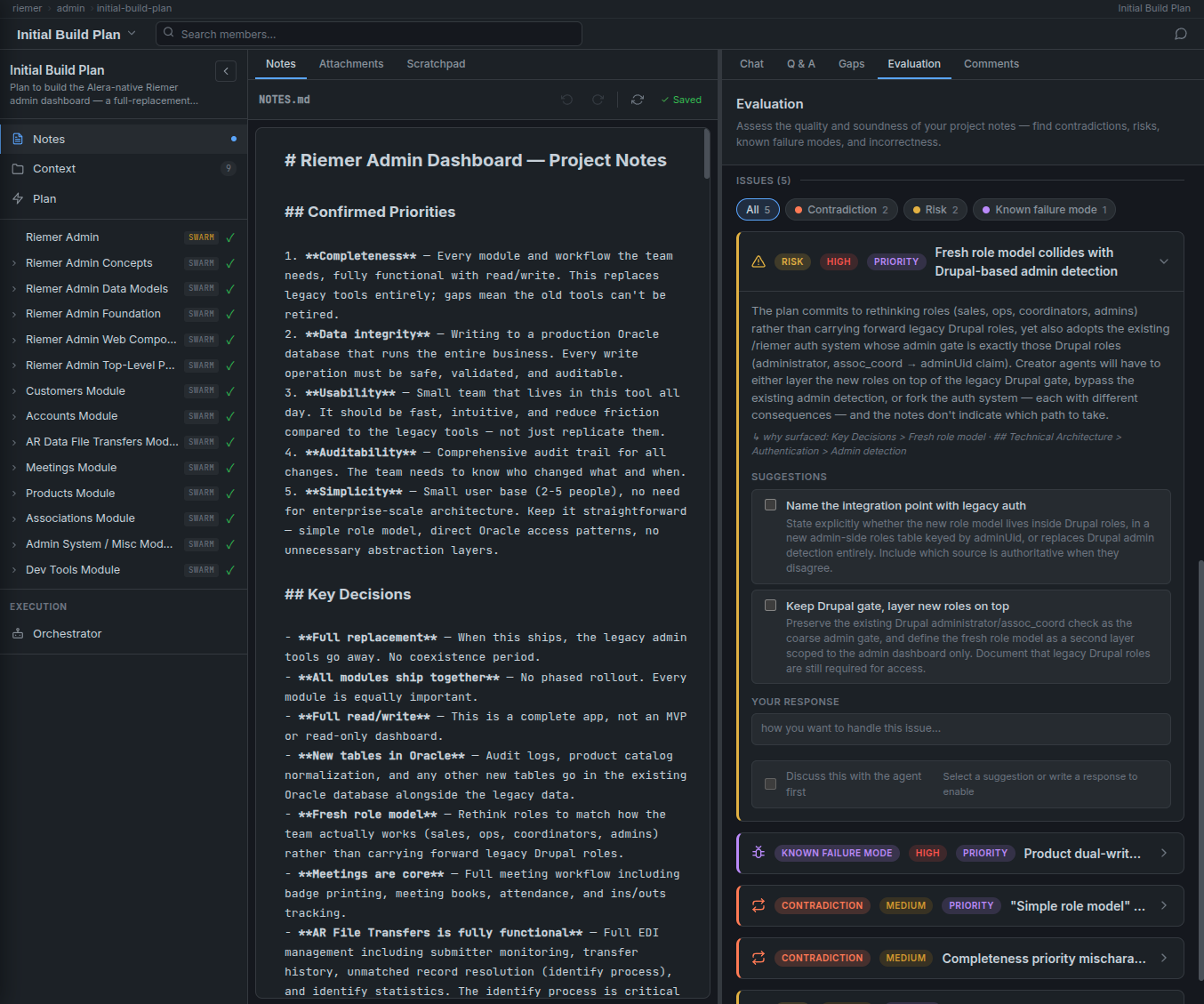
Rough markdown. The user types, pastes, and chats with the notes editor until the picture is clear.
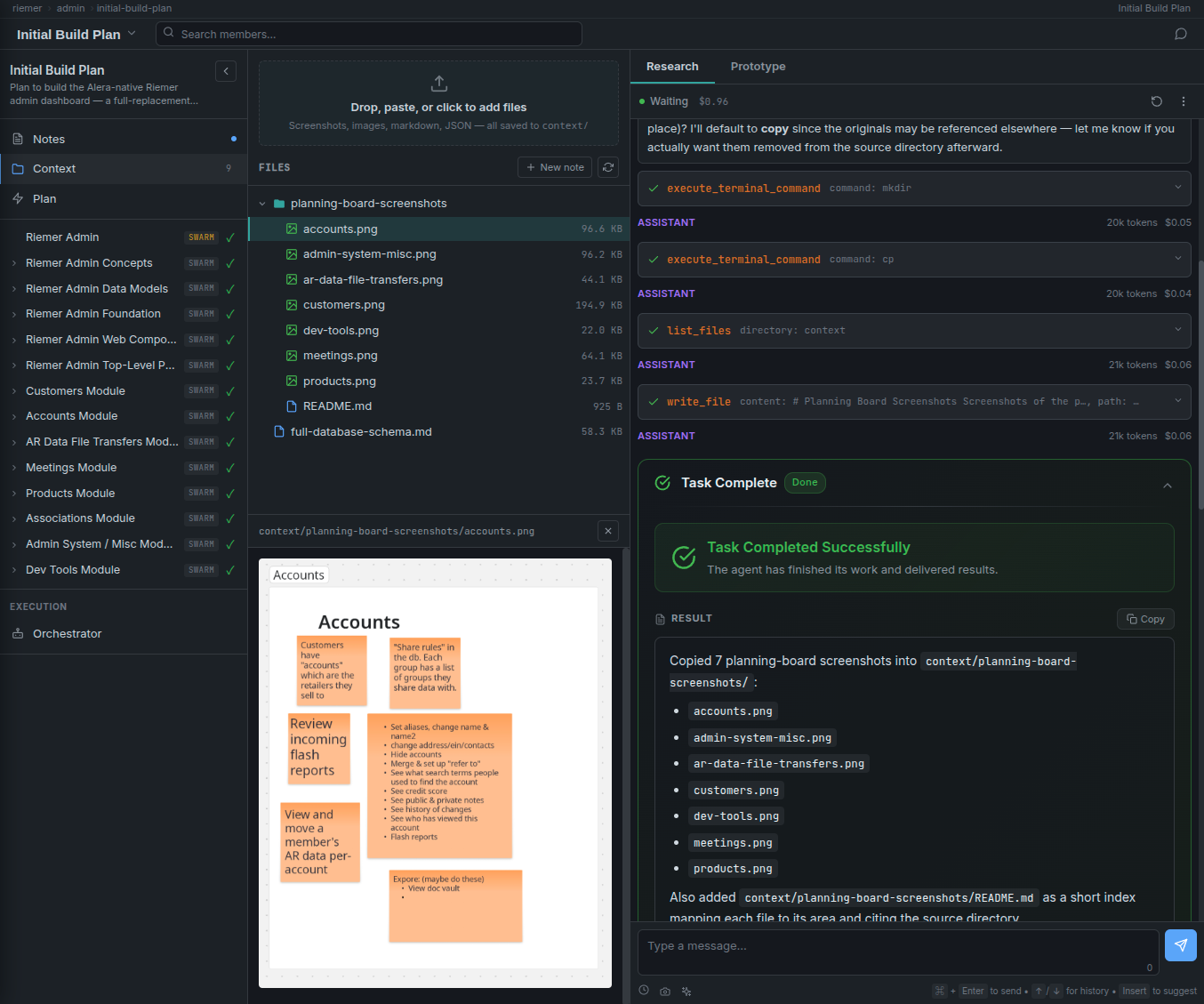
Supporting material — DB schemas, mockups, existing code, research. Dropped in or fetched by agents.
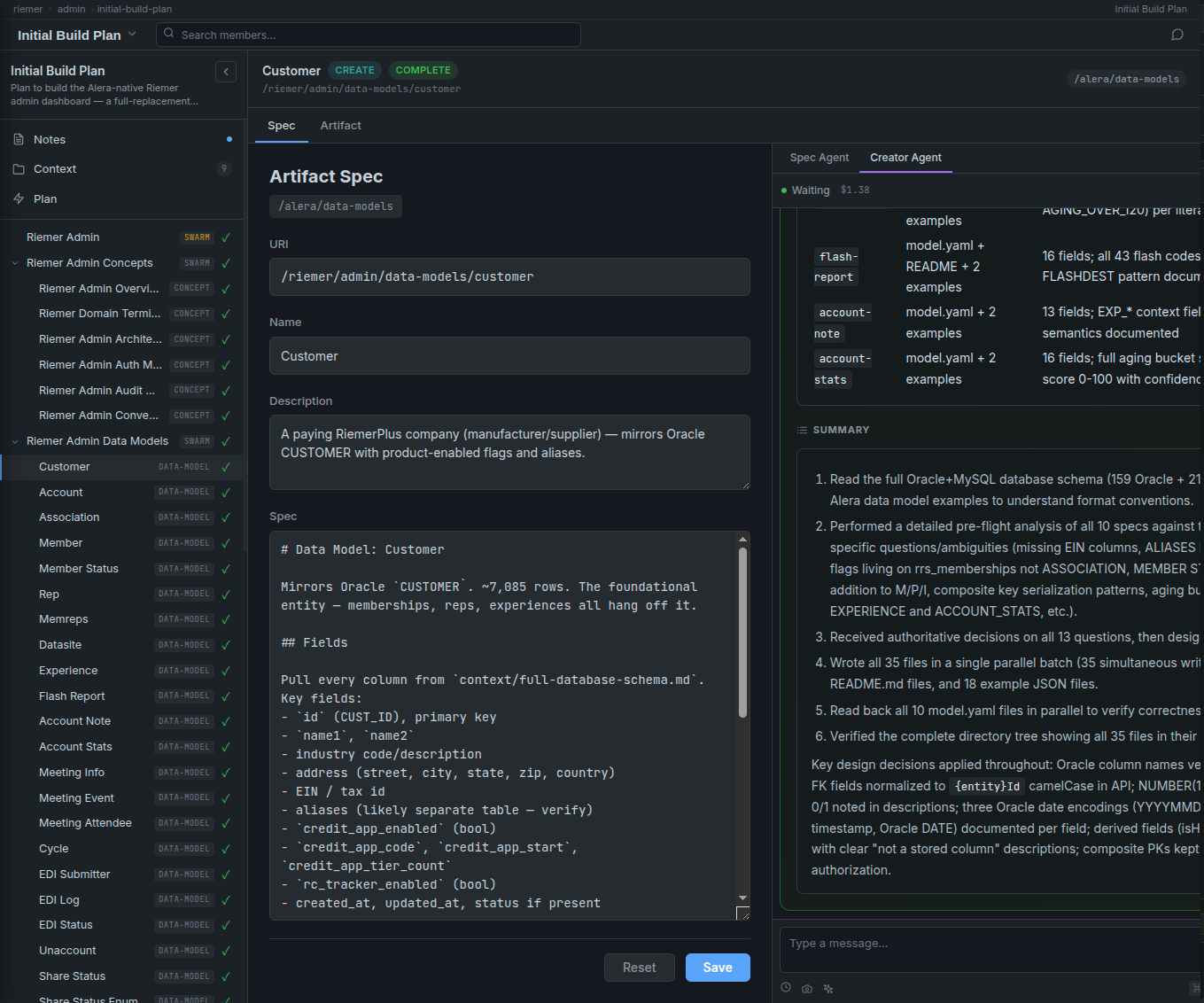
A generator agent produces a spec tree — every artifact to create, nested and dependency-ordered.
An orchestrator spawns creator agents for every spec, answers their questions, escalates blocks to the user.
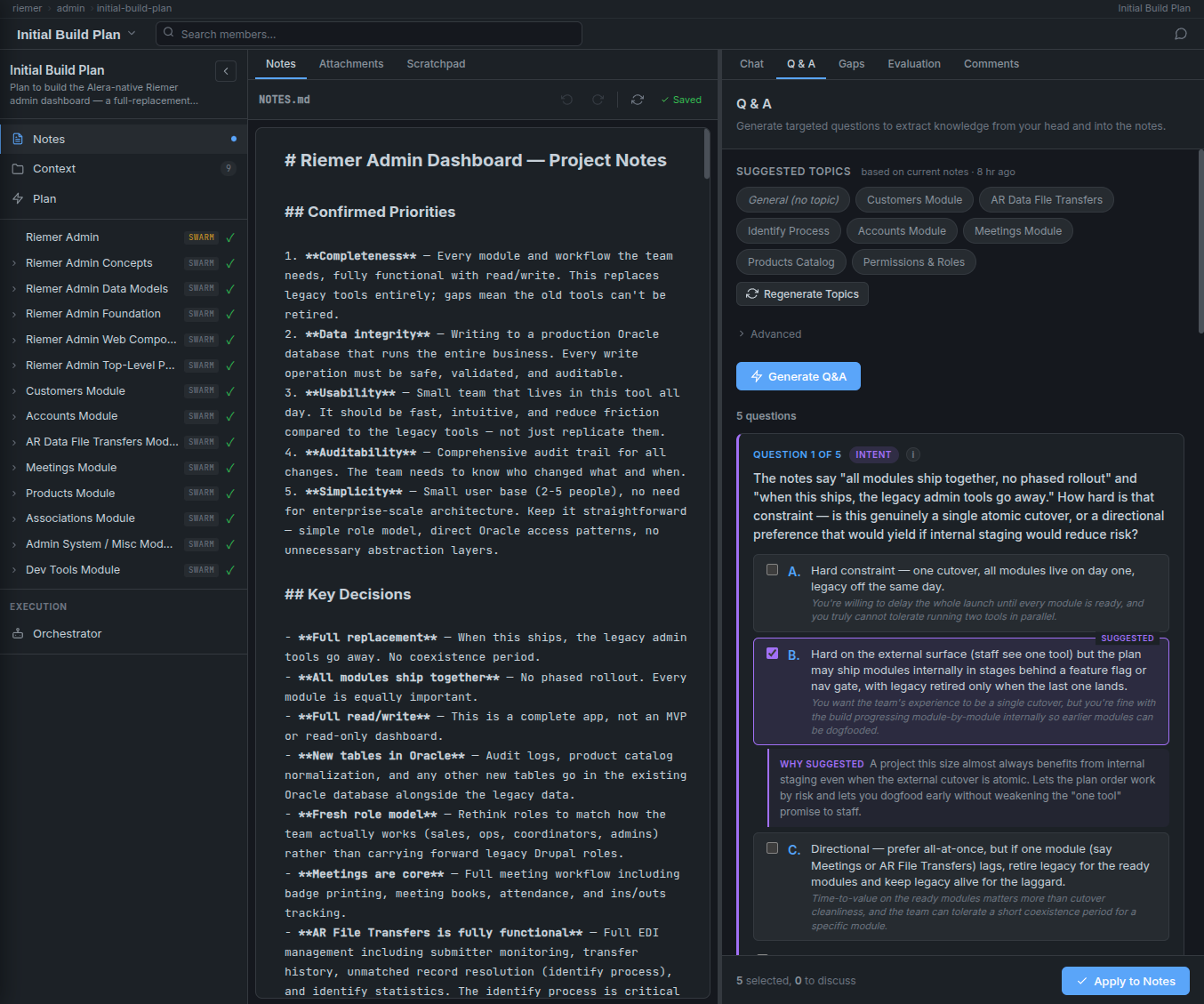
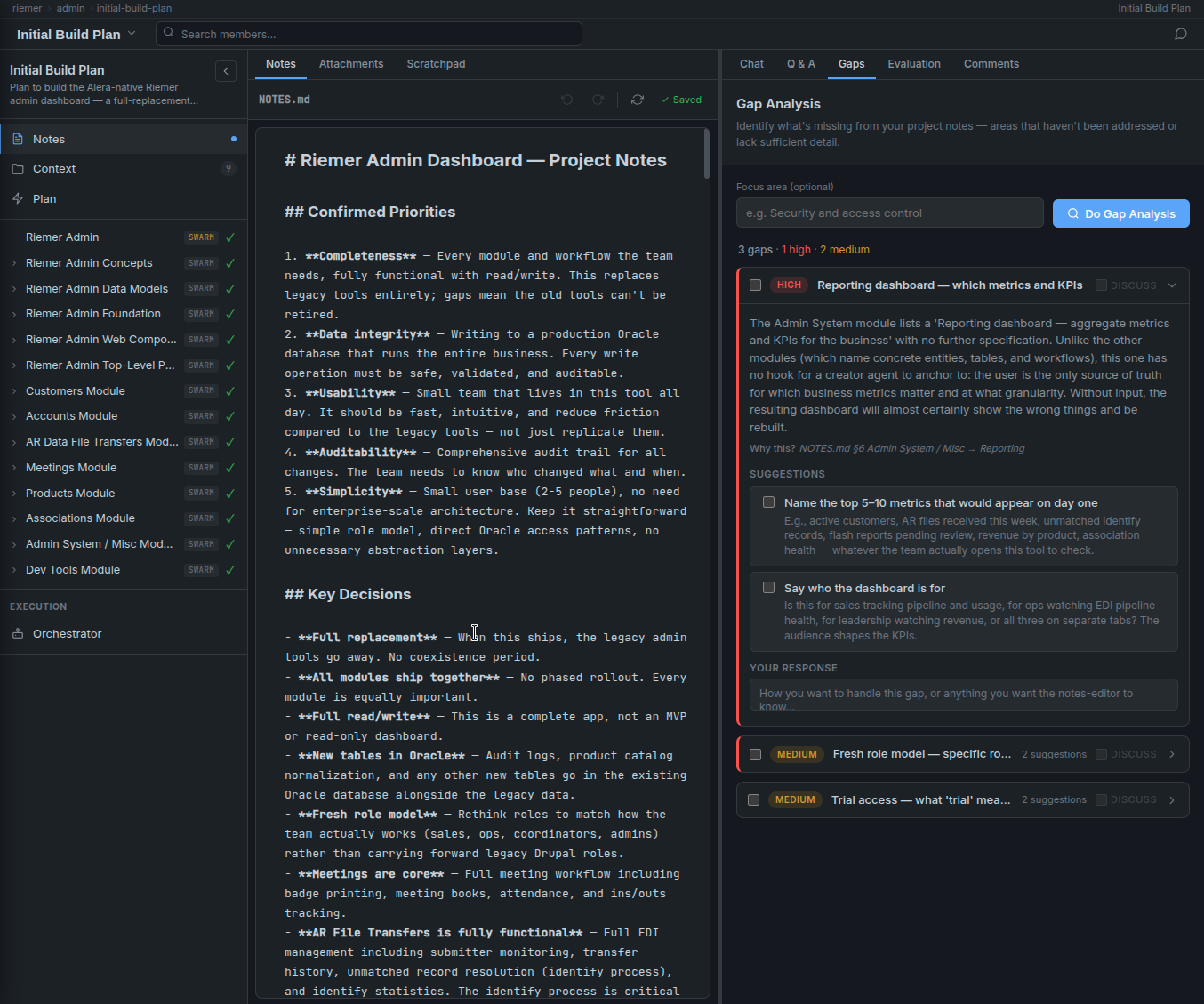
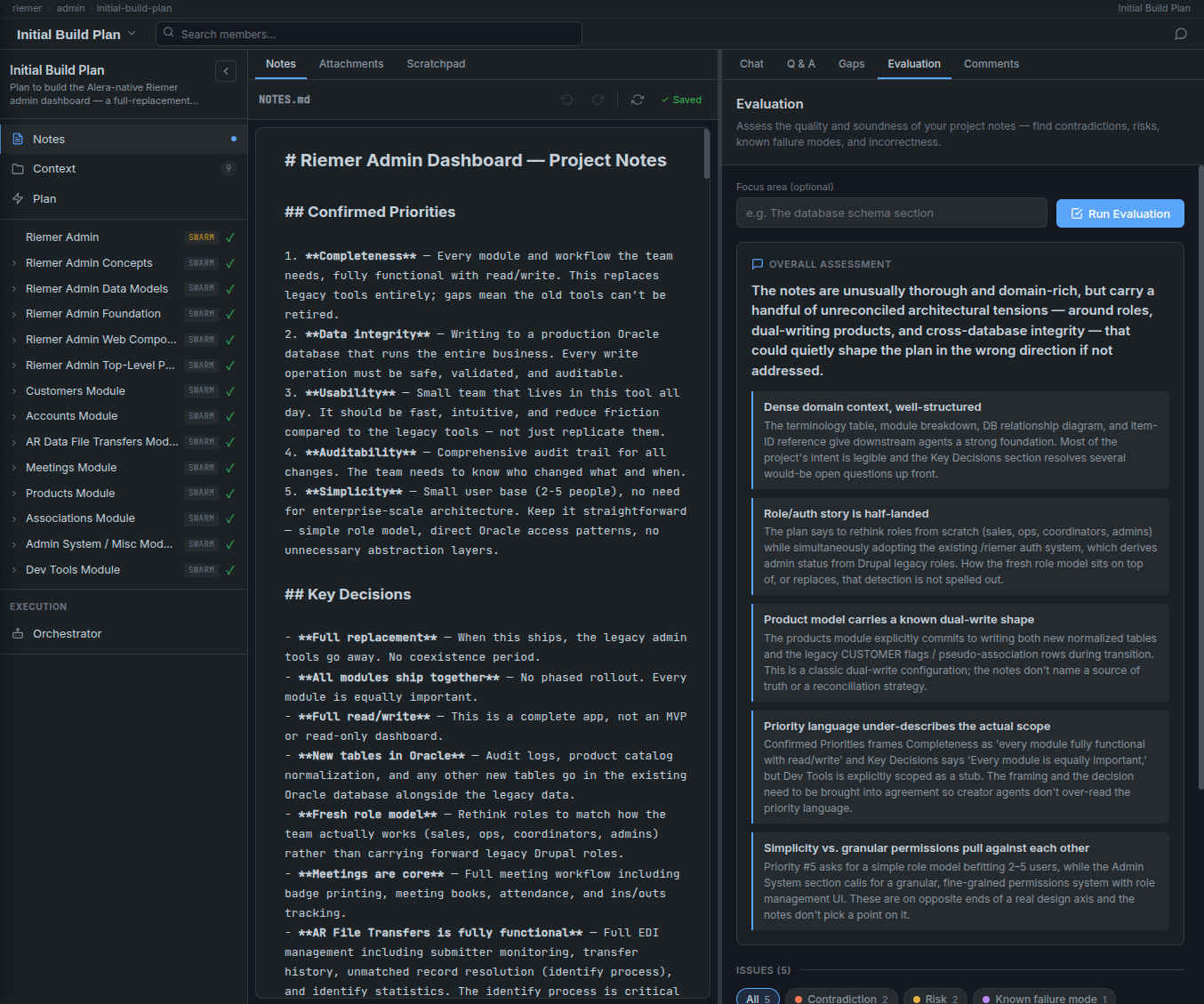
Great specs come from answering questions you didn't know you hadn't answered. The notes editor lives next to your markdown and offers four active ways to pull missing knowledge out of your head and onto the page.
It starts simple — a Q&A tab that generates targeted questions about what you've written, suggests a likely answer based on cues in the text, and lets you accept the suggestion with a single click. No typing prose to explain what you meant. Pick the option that matches your intent, and the notes update themselves.
The hardest part of building software is figuring out what to build. Notes editing in Alera Planning turns that from a blank-page problem into a structured conversation — one where the AI asks the questions, proposes the answers, and writes the agreed output back into a form agents can use.
Notes say what you want to build. Context gives the agents the raw material they'll need to build it correctly — a legacy database schema, a screenshot of the tool being replaced, a sample API payload, an internal wiki page, a mockup sketch.
Files are dropped into the context/ folder by hand, fetched from the web by research agents, or generated on the fly. When the planner turns notes into specs, it automatically attaches the right context files to each spec — so the creator agent that builds the Customer data model gets the legacy customer schema, and the one building the Meetings page gets the meetings mockup.
When the notes are ready, the planning agent reads everything — notes, context files, the full swarm the plan targets — and produces plan.yaml: a nested tree of artifact specs, each one describing exactly one thing to build or modify.
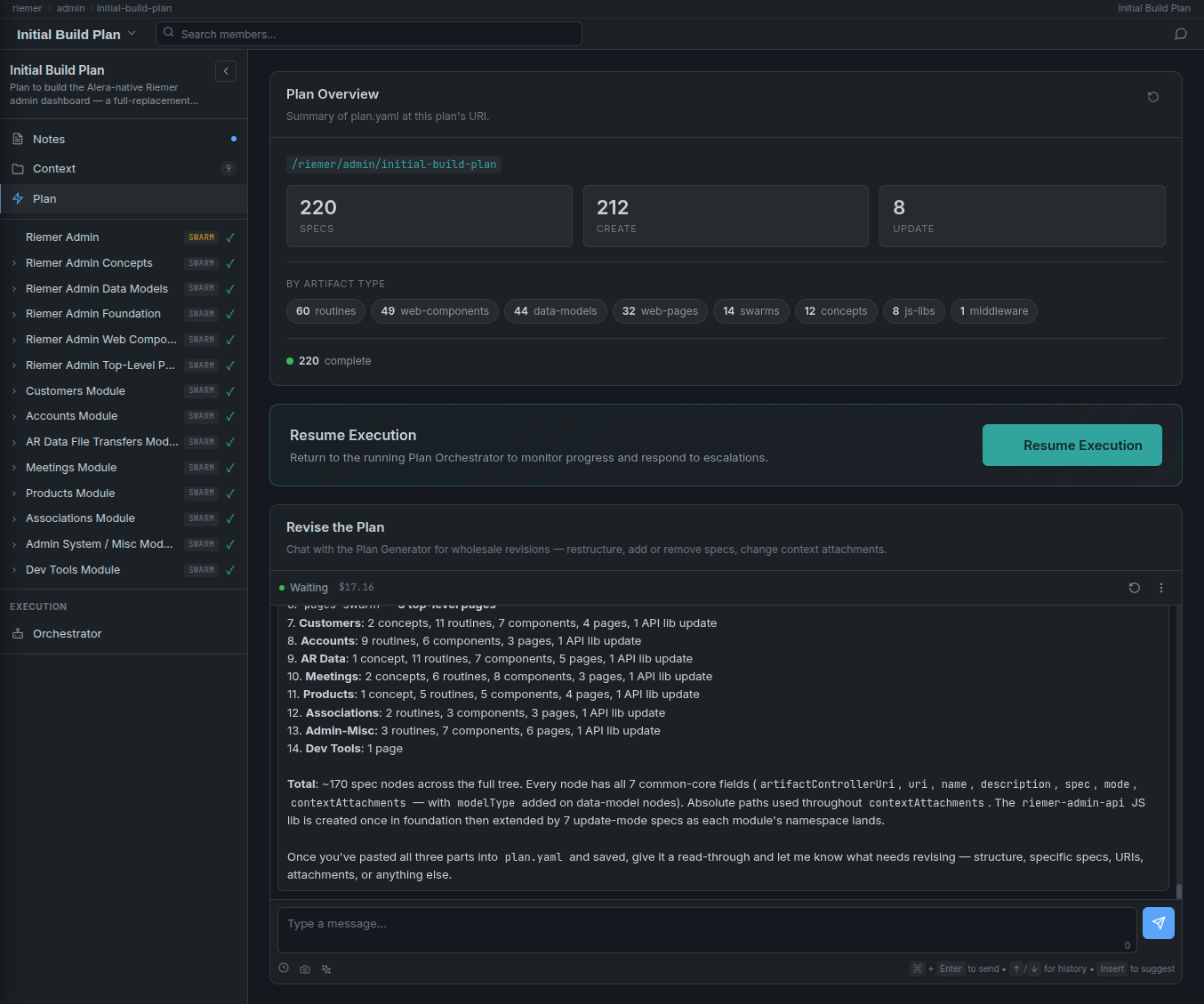
The scale can be large. The plan on this page builds an entire admin dashboard from scratch: 60 routines, 49 web components, 44 data models, 32 web pages, 14 child swarms, 12 concepts, 8 JS libs, 1 middleware — 220 specs total. Every one is linked to its context attachments and wired into the right position in the dependency graph.
The generated plan is a starting point, not a contract. You can edit any spec by hand, add or remove nodes, re-attach context, or chat with the generator to rewrite whole branches. Only then do you press Execute.
Press Execute and a plan orchestrator takes over. It walks the spec tree in dependency order, spawns the right creator agent (or updater agent) for each spec, passes it the targeted swarm context and attached context files, and proactively manages the build.
When a creator agent asks a question, the orchestrator answers it from the notes when it can — and escalates to the user when it can't. When two specs need to be built in parallel, it dispatches them concurrently. When one fails, it retries or marks it blocked and moves on.
Data models before routines that use them. Swarms before their children. Parent specs complete before dependents fire. Independent branches run in parallel.
Each spec type has a dedicated creator agent — routine-creator, data-model-creator, web-component-creator, web-page-creator, agent-creator, and so on. The orchestrator routes each spec to the right specialist.
Most creator questions are already answered in the notes. The orchestrator looks there first, answers inline, and only escalates genuinely novel decisions to the user.
Progress, blocks, retries, and results live in plan-execution.yaml — so you can keep editing plan.yaml while a build is in flight, without two systems fighting for the same file.
When it's done, the plan swarm remains as the record of why the system was built the way it was. Notes, context, specs, and execution log — all still in the same directory, months later, next to the code they produced.
Planning isn't a feature we occasionally use. It's how Recursive AI builds everything. When we engage with a client, the first deliverable is a plan swarm — notes, context, a reviewable spec tree — that the client can see, challenge, and revise before a single line of code is written. Once the plan is agreed, execution is measured in days, not quarters.
specs orchestrated end-to-end in the plan featured here — a complete admin dashboard build
artifact types handled natively — routines, components, pages, data models, swarms, concepts, JS libs, middleware
workspace — notes, context, specs, execution, and audit trail all in one swarm directory
of decisions captured — every question the AI asked, every answer, every override, preserved alongside the output
Planning is the piece that makes AI-native software delivery actually work. It's the bridge between what a client wants and what our agents build. Without it, you get fast slop. With it, you get a specified, auditable, buildable system — and a record of how every decision was made.
Alera Planning is how we ship complete production software systems for clients in weeks, not quarters — with the full decision trail preserved. If you've got a project that's been sitting on the shelf, let's talk about planning it in.